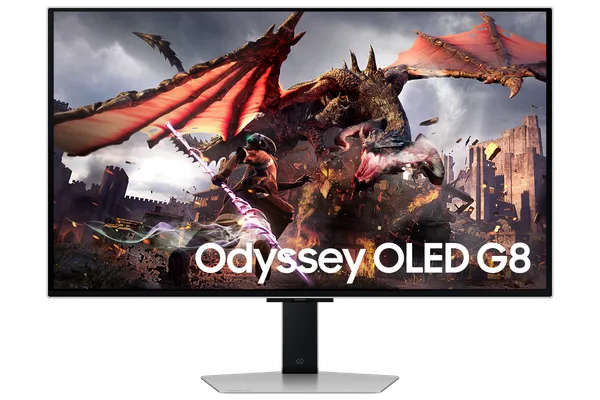
Samsung Odyssey G8 OLED
Flat 32-inch 4K 240 Hz QD-OLED gaming monitor with Tizen smart TV features
| Maker | Samsung |
|---|---|
| Model | Odyssey OLED G8 G80SD (LS32DG80x) |
| Type | Flat 16:9 gaming monitor (32-inch QD-OLED, 4K, 240 Hz) |
Store
| Store | Price | Checked |
|---|---|---|
| Power (opening sale) | ~4 000 kr | 2026-09-30 |
| Samsung SE | 9 990 kr to 16 990 kr depending on the shop | 2026-09-30 |
Specs
| Spec | Value |
|---|---|
| Panel | QD-OLED, flat, glare-free matte coating |
| Size | 32-inch (31.5-inch viewable), 16:9 |
| Resolution | 3840 x 2160 (4K UHD) |
| Refresh rate | 240 Hz |
Description
My main monitor, on the Gaming PC. It also works as a small TV on its own, with streaming apps built in.
The story behind it is interesting, because I wasn't looking for a monitor. A friend of mine messaged me one day saying that one of the shops here in Sweden, Power, was opening a new store, replacing a MediaMarkt that used to be there, and they had 50% off on everything. This monitor was one of those things. Normal price is something around 10 thousand kronor, and in the shop it was four thousand and change. A bunch of people went there. I wasn't even in the country, I was in Brazil, so I asked him to buy it for me. I didn't buy this monitor directly, I received it later.
Impressions
Image, refresh rate, colour, it's fantastic on all of it. Being OLED the picture looks beautiful, the brightness is nice and the thing is big, so having it has been sensational for me.
It also has one of those features that changes nothing at all, a ring of LEDs on the back that tries to imitate what's on the screen. It fails miserably, the delay is so long that what's behind is often nothing like what's in front. You can't really see it anyway.
What's bad about it is the configuration. It comes with an actual remote control, because on top of everything else it's a smart monitor, a television you can plug things into, and to use any of that you have to log into a Samsung account, which does nothing for me since I don't own anything else of theirs. That one is the brand's fault more than the monitor's.
The monitor's own sin is UX. Changing source means opening the main menu with the remote, because there's no button on the back or anywhere else, then going into the sources panel and waiting while it hunts for a source. It won't just list what's connected for you to pick. The whole menu works like that, full of modes, and it's super hard to operate. I don't have many things plugged in, so it only gets in my way now and then.
Final thoughts
That's the only real complaint I have about it, because otherwise it's thin, light and very beautiful.
These days I maybe wouldn't recommend it. There are newer versions, probably cheaper, or monitors just as good that don't have this problem.