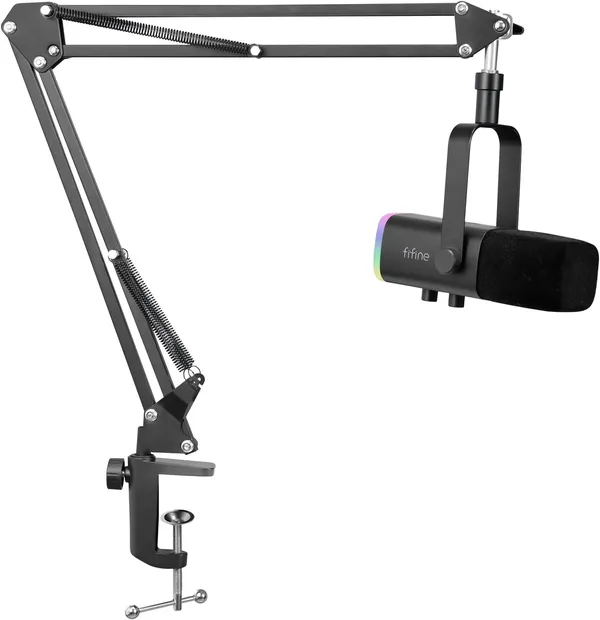
Fifine MI14
Dual USB-C / XLR dynamic mic that ships with its own boom arm. Cardioid, so it keeps the room out of the recording.
| Maker | Fifine |
|---|---|
| Model | MI14 (sold as a kit with a boom arm) |
| Type | Cardioid dynamic broadcast microphone with both USB-C and XLR outputs |
Store
| Store | Price | Checked |
|---|---|---|
| Amazon.se | 711 kr | 2026-09-27 |
Description
The mic on the Gaming PC, running straight into the machine over USB-C.
I bought it because I already had a mic on the work setup and on this machine I was using only my SteelSeries Arctis headset, all the time. I don't like using headsets that much, they squeeze my ear and they get very hot. You can tell from the number of headphones I own that I still haven't found one I can wear for a relatively long time without it bothering me, the closest are the DT 990 and the Lyrö. Ever since I found out you could have a microphone separate from the speakers, I've kept the two lines apart.
Besides the two outputs, it has a headphone jack for monitoring, like the Yeti, with a decent analog to digital converter behind it. It has two knobs, one for the mic volume and one for the headphone volume, a touch button on the back to mute it, and an LED you can recolour or turn off. It ships as a kit with a boom arm and a pop filter.
Impressions
An external mic is clearly much better than the mic a speaker has, or the one built into a headset, even when it's not that good for games or whatever.
The MI14 is extremely sensitive. In theory it's a directional mic, but I notice it picks up quite a lot from the sides even with the mic facing forward. The sound is pretty raw and it can't distinguish anything, so it will pick up everything, which means you need a relatively quiet room. The other way around it is to turn the mic gain well down so you can speak very close to it, like an actual podcast mic, and then it works a lot better.
The converter is interesting enough that I use the mic as a sound output when I need to listen to something and I have nowhere to plug my headphones, because I don't have an external amplifier and I'd have to plug straight into the case, which is a bit far away. My case also doesn't have good isolation on the 3.5 mm jack, so I get noise, there's a lot going on inside that thing. It's rare that I do this, but it's there.
The two knobs are a really nice touch. The Yeti only has the headphone adjustment and the mic gain sits on the back, which is very annoying to do. On the MI14 you get both right on the front.
What bothers me a lot is that the mute button is on the back and it's a touch button. Since this is a mic that stays to your side, every time you try to move it you end up brushing against the mute button, and you can't see that it's muted until you look at the back. Even turning it around doesn't really work. I'd call that a design mistake, though it doesn't get in the way that much. The LED keeps blinking and you can change the colour, but I leave it on red all the time because it's the least strong light and it bothers me the least.
It's a great mic and the sound quality is quite good, though it's not excellent. Between having this mic for that kind of work and something better, I'd rather buy a Shure MV7, but that one is about five times the price of this one. The boom arm it comes with is relatively bad, but it's an arm and it works. One advantage is that it doesn't pick up desk vibration or things you knock into, so you don't need a shock mount. It also comes with a pop filter, although my cats keep eating the pop filter, so I don't know if that's relatively good or bad.
Final thoughts
It's an excellent buy for anyone looking for a mic that's budget but still has relatively professional quality, mostly for recording videos and that sort of thing.
I want to move this mic over to the work setup in place of the Yeti, because it's much more suited for that, and connect it with an XLR cable, since XLR has a lot less noise. So I can take the mic from one side and put it on the other and it'll be much quieter, especially for meetings.